
Most teams do not struggle because they lack tools. They struggle because work moves across forms, ad platforms, CRMs, spreadsheets, analytics tools, and approval chains that were never properly connected. In 2026, marketing automation is less about sending scheduled emails and more about making those handoffs reliable, visible, and easy to maintain.
That shift matters because growth problems often hide inside operations. A campaign can generate demand, but if leads are routed late, reporting is patched together manually, or lifecycle messages rely on outdated fields, the output looks weaker than the strategy behind it.
Why ‘automation’ stopped meaning email sequences
For a long time, “automation” was shorthand for welcome flows, abandoned cart reminders, and lead nurture emails. Those still matter, but they are now only one part of the system. The real work happens before and after the message: how the contact entered the database, how consent was recorded, how the source was labeled, how the right team was notified, and how outcomes were written back for reporting.
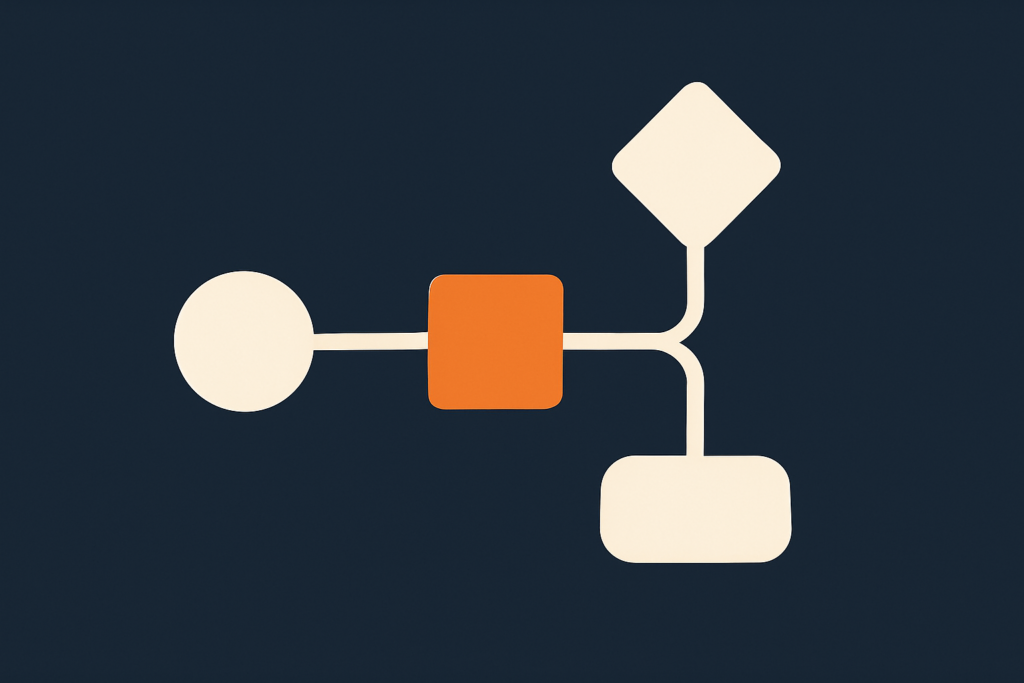
In practice, modern marketing automation sits between systems. It listens for an event, checks conditions, updates records, triggers the next action, and leaves a trace that someone can audit later. A form submission might create a CRM contact, assign an owner based on country or product line, add the lead to a lifecycle stage, notify sales in Slack or email, and queue a follow-up sequence only if consent and data quality checks pass.
A useful test is simple: if a person leaves the team tomorrow, does the process still run cleanly without tribal knowledge? If the answer is no, the issue is usually not creativity. It is marketing operations.
One concrete step: open your highest-volume lead source and map the journey in a table with five columns: trigger, system, owner, rule, and failure risk. Most teams discover at least one silent gap, such as missing UTM capture, duplicate records, or a routing rule that only works for one product category.
This is also why workflow automation now overlaps with revenue operations and customer data hygiene. An automated email is visible. A broken field mapping is not. But the hidden issue usually does more damage.
For teams reviewing their broader operating model, it helps to compare automation decisions with channel planning and measurement standards already in place. That is often where fragmented execution starts to show, especially when one team builds campaigns and another team owns data structure.
The four layers of a modern marketing stack
Most stacks become easier to manage when you stop thinking in terms of vendor categories and start thinking in layers. In 2026, a practical stack usually has four layers: data capture, decisioning, activation, and measurement.
1. Data capture
This layer collects the inputs. It includes website forms, landing pages, CRM fields, chat tools, lead sources, e-commerce events, call tracking, and any offline imports that still matter to the business. The goal is not to collect everything. The goal is to collect a small set of fields consistently enough that downstream workflows can trust them.
An actionable rule: define a required field policy for high-intent entries. For example, if someone requests a demo, make sure source, country, product interest, and consent status are always captured in a structured format rather than in free text. That one change prevents a large share of routing and reporting issues later.
2. Decisioning
This is the logic layer. It includes lead scoring, segmentation, lifecycle stage rules, territory assignment, suppression logic, consent handling, and enrichment checks. Many teams overbuild this layer. They create too many branches before they have stable source data.
Start with a small number of decisions that affect speed or relevance. For example: Is this inquiry sales-ready? Which queue should it enter? Should the person receive sales follow-up, educational content, or nothing until consent is confirmed? If your rules cannot be explained on one page, they are probably too complex for the current maturity of the stack.
3. Activation
This is where actions happen: emails, retargeting audience updates, CRM tasks, internal notifications, sales sequences, webhook calls, and support handoffs. Activation is the visible part of marketing automation, but it only works when the previous two layers are clean.
A practical detail here is timing. Not every trigger should fire instantly. Some actions need a delay window to avoid collisions. For example, if a contact submits two forms within an hour, your workflow should check whether an owner assignment already exists before creating another task. Without that safeguard, teams get duplicate follow-up and inflated workload.
4. Measurement
This layer closes the loop. It includes attribution inputs, campaign naming standards, automated reporting, funnel definitions, and exception logs. Reporting should not only show output. It should also show process health. If lead routing failures increase, or if a source starts producing records with missing fields, that should appear in a weekly operational view before it becomes a revenue problem.
One useful setup is a small exception dashboard with counts for duplicates, unmapped sources, failed syncs, and records missing required fields. This is not glamorous work, but it gives marketing operations a maintenance view rather than forcing the team to discover issues through complaints.
When these four layers are separated clearly, tools become easier to replace. You can switch an email platform or add a reporting tool without rebuilding the entire system. That is usually a better goal than chasing an all-in-one stack that promises simplicity but creates lock-in.
If you are comparing service models, a good checkpoint is whether your partner can work across planning, implementation, and maintenance rather than only tool setup. You can see how that thinking applies across channels and systems on our services page.
Workflows worth automating first
Not every process deserves automation. The best candidates have three traits: they happen often, they follow a clear rule, and failure is expensive in time or response quality. In early stages, the highest return usually comes from workflow automation around intake, routing, reporting, and lifecycle updates.
Lead capture and routing
This is often the first workflow to fix because the cost of delay is obvious. When a qualified inquiry arrives, the path from form to owner should not depend on someone checking a shared inbox. A basic version includes field validation, deduplication, owner assignment, acknowledgment email, and a task or notification to the right team.
Specific detail to implement: create a routing matrix in a spreadsheet before building it in software. Use rows for country, product line, language, and lead type; use the final column for owner or queue. If you cannot resolve edge cases in the spreadsheet, the workflow will break once volume increases.
Lifecycle stage updates
Many teams still update stages manually or leave them undefined. That leads to poor segmentation and unreliable funnel reporting. Set clear entry conditions for stages such as subscriber, lead, marketing-qualified, sales-accepted, opportunity, and customer. Then automate changes when objective events occur, such as a booked call, a proposal sent, or a purchase completed.
The key is to avoid circular logic. Do not make stage changes depend on subjective notes if you want reporting to stay consistent.
Automated reporting
Manual reporting is a common drain on senior time. Teams export campaign performance, CRM counts, and website metrics into slides every week, then repeat the same cleanup steps next week. Automated reporting should not mean a giant dashboard with every possible chart. It should mean a small reporting layer that refreshes reliably and answers recurring questions.
A good starting set includes spend, leads, qualified leads, pipeline-relevant events, and data quality exceptions by source. Add commentary manually if needed, but stop rebuilding the numbers each cycle.
For readers looking at the link between planning and reporting discipline, this is also where stronger measurement frameworks from adjacent content work can help. The same naming and governance rules used in campaign planning should flow into your reporting setup. A related perspective fits well alongside this in article A02.
Audience sync and suppression
Another high-value workflow is keeping audiences current across ad platforms and owned channels. When a lead becomes an opportunity or customer, that status should update suppression lists and retargeting pools quickly. Otherwise, budget is spent promoting acquisition messages to people who are already in a later stage.
One specific check to add: review whether your customer and opportunity suppressions refresh on a dependable cadence. If updates are delayed or fail silently, media efficiency drops and message relevance suffers.
Internal handoffs
Not all valuable automation is customer-facing. Internal workflows matter just as much. When a campaign launches, does the sales team receive context? When a webinar lead reaches a threshold, is a success or account team informed? When content is approved, is tracking attached before distribution begins?
These handoffs are often managed in chat threads and remembered by a few people. Document them, then automate the repetitive parts first.
Another useful reference point is how creative and operational handoffs affect execution quality over time. That is especially relevant for teams balancing campaign delivery with process discipline, and it connects naturally with article B01.
Where automation quietly fails
Automation usually does not fail in dramatic ways. It fails quietly: a field changes name, a form adds a new option that no route recognizes, a sync starts skipping records, or a workflow keeps running after the business process changed months ago. The output still exists, but confidence in the system starts to erode.
Bad inputs
The most common failure point is poor source data. If teams collect values in inconsistent formats, every downstream branch becomes fragile. “UK,” “United Kingdom,” and “Britain” should not be three different routing conditions. Standardize values at entry wherever possible.
Actionable fix: maintain a controlled vocabulary for fields that drive automation. Limit free text. If a field determines routing, scoring, or suppression, it should usually be a select field with approved options.
No owner for exceptions
Many teams assign owners for campaigns but not for process exceptions. Who checks failed syncs? Who reviews duplicates? Who updates workflows when products or territories change? If the answer is nobody, small issues remain invisible until they disrupt lead handling or reporting.
Create a weekly 20-minute review for operational exceptions. Keep it lightweight. Check failed records, unmapped values, workflow errors, and forms with unusual drop-offs. This simple habit catches more issues than occasional large audits.
Too much logic in one place
Another common problem is building giant workflows with too many branches. They become hard to test and harder to maintain. Separate concerns where possible. Use one workflow for normalization, another for routing, and another for messaging if your tools allow it. This makes troubleshooting faster because each step has a narrower purpose.
Missing documentation
Teams often remember why a rule exists when they build it, then forget six months later. Every critical workflow should have a short note covering trigger, goal, dependencies, owner, and last review date. This is not bureaucracy. It is maintenance insurance.
If you inherited an older stack, start with the workflows tied to revenue handoffs or board-level reporting. Those are usually the riskiest to leave undocumented.
Automation without human checkpoints
Not everything should run unattended. High-impact actions need review thresholds. For example, if a workflow reassigns a large segment because a source field changed, it should generate an internal alert before further activation runs. Human approval is not a sign of weakness. It is part of operational control.
Strong marketing automation is not the absence of people. It is the reduction of manual repetition, paired with clearer oversight where judgment still matters.
A 30-day starting plan
If your current setup feels messy, the right next move is not a full rebuild. In most cases, a 30-day reset around one journey is enough to create momentum and expose the main structural issues.
Days 1-5: pick one journey
Choose a single path with visible business value. Good examples are demo requests, quote requests, consultation bookings, or trial sign-ups. Avoid trying to fix every campaign at once.
Write down the current flow from trigger to outcome: where data enters, which systems it touches, who acts on it, and where reporting comes from. Include manual steps, even if they feel temporary.
Days 6-10: define the minimum viable data model
List the fields that the journey truly needs. For most teams, that includes contact identity, source, consent, product interest, geography, owner, lifecycle stage, and outcome status. Remove fields that are collected but never used in routing, messaging, or analysis.
Then standardize field values. This is one of the highest-leverage jobs in marketing operations because every later workflow depends on it.
Days 11-15: build the routing and exception rules
Create the basic logic for deduplication, assignment, notifications, and fallback conditions. Define what happens when information is missing. For example: if product interest is blank, route to a review queue instead of forcing a potentially wrong owner assignment.
At this stage, add one exception log. It can be as simple as a table or sheet that records records that failed routing or arrived with missing required fields.
Days 16-20: connect messaging and task creation
Now add customer-facing and internal actions. That might include confirmation emails, sales tasks, or audience updates. Keep the logic narrow. Avoid adding advanced scoring or multiple nurture paths until the intake and routing are stable.
Test with realistic cases, not only perfect entries. Submit forms with missing data, repeated email addresses, different countries, and changed source parameters.
Days 21-25: set up reporting
Build a small reporting view around the journey. Include volume, response timing, stage movement, and exception counts. If your team already has a dashboard tool, use it. If not, start with a structured spreadsheet that refreshes from exports or direct connectors. The important part is consistency, not sophistication.
Days 26-30: document and review
Finish by writing a one-page operating note: workflow purpose, trigger, field dependencies, owner, exception process, and review cadence. Then hold a review with the people who actually touch the process. Ask where they still have to do manual cleanup, where they do not trust the data, and which alerts are useful versus noisy.
After one journey is stable, repeat the method for the next one. This is how mature workflow automation usually develops: one reliable operational path at a time, not through a dramatic platform overhaul.
By 2026, the teams getting the most from automation are not necessarily the ones with the largest stacks. They are the ones that treat automation as an operating system for handoffs, governance, and visibility. That makes campaigns easier to execute, reporting easier to trust, and growth less dependent on manual patchwork.
If you want to map one journey, clean up the logic, and make the stack easier to run, Let’s talk.